
Product · Integrations
Connects where people and agents work.
Centeye connects to Microsoft 365 and Google Workspace by API, reaches the AI layer from Copilot and Gemini to any MCP server, adds a light agent on Windows and Macs, and sends the result to the MSP tools and channels your team already uses. Nothing to rip out.
Where people and agents work
Microsoft and Google, deeply.
-
Microsoft 365 and Microsoft Entra ID
Sign-ins, risk and audit events, app grants and service principals, mailboxes and inbox rules, and SharePoint and OneDrive access. Gatewatch, Lighthouse, Lumen and Synthwatch act here: end sessions, reset passwords, remove an attacker’s sign-in method, pull mail, revoke a grant.
-
Google Workspace and Gmail
Login, admin and alert-centre events, third-party app grants, and Gmail threats, with the same detections and response steps as Microsoft, in the same console.
-
Google Drive
File-access events across Drive, including each employee’s own My Drive, so a case shows which files an account, an app or an agent actually reached.
The AI layer
Every AI tool and agent, and any MCP server.
-
Microsoft Copilot
Copilot activity from the Microsoft 365 audit log, when Copilot opens files on someone’s behalf, and Copilot agents in the AI register with what they can reach.
-
Google Gemini
Gemini and other AI apps holding Google Workspace access, in the same register, with an owner and a review date.
-
AI apps connected through OAuth
Every AI app people connect to mail, files or calendars, with what each grant allows, who approved it and whether anyone still uses it.
-
Any MCP server
Praxis speaks the Model Context Protocol both ways. Kavach can call tools on any MCP server you connect to look into other systems during an investigation, and your own AI tools can call Centeye’s, under the same rules and approvals.
Endpoints and browsers
A light agent and a browser extension.
-
Windows
The Centeye agent for Ironwatch: detection, isolation and response on Windows laptops and servers, and the Lumen sensor for the laptop view.
-
macOS
The same Centeye agent on Macs, in the same console as Windows.
-
Google Chrome and Microsoft Edge
The Lumen extension shows which AI sites people use, sees when company data is pasted or uploaded, and applies your rules to each browser action. It never reads the content.
MSP tooling
Three supported out of the box.
-
ConnectWise®
Cases open as tickets in ConnectWise PSA under the right client company, and devices sync from ConnectWise Automate.
-
Autotask®
Cases open as tickets in Autotask PSA, mapped to the right client company.
-
NinjaOne®
Devices sync from NinjaOne, so every endpoint lands under the right client.
ConnectWise is a registered trademark of ConnectWise, LLC. Autotask is a registered trademark of Kaseya. NinjaOne is a registered trademark of NinjaOne, LLC. Use here describes compatibility only.
Notification channels
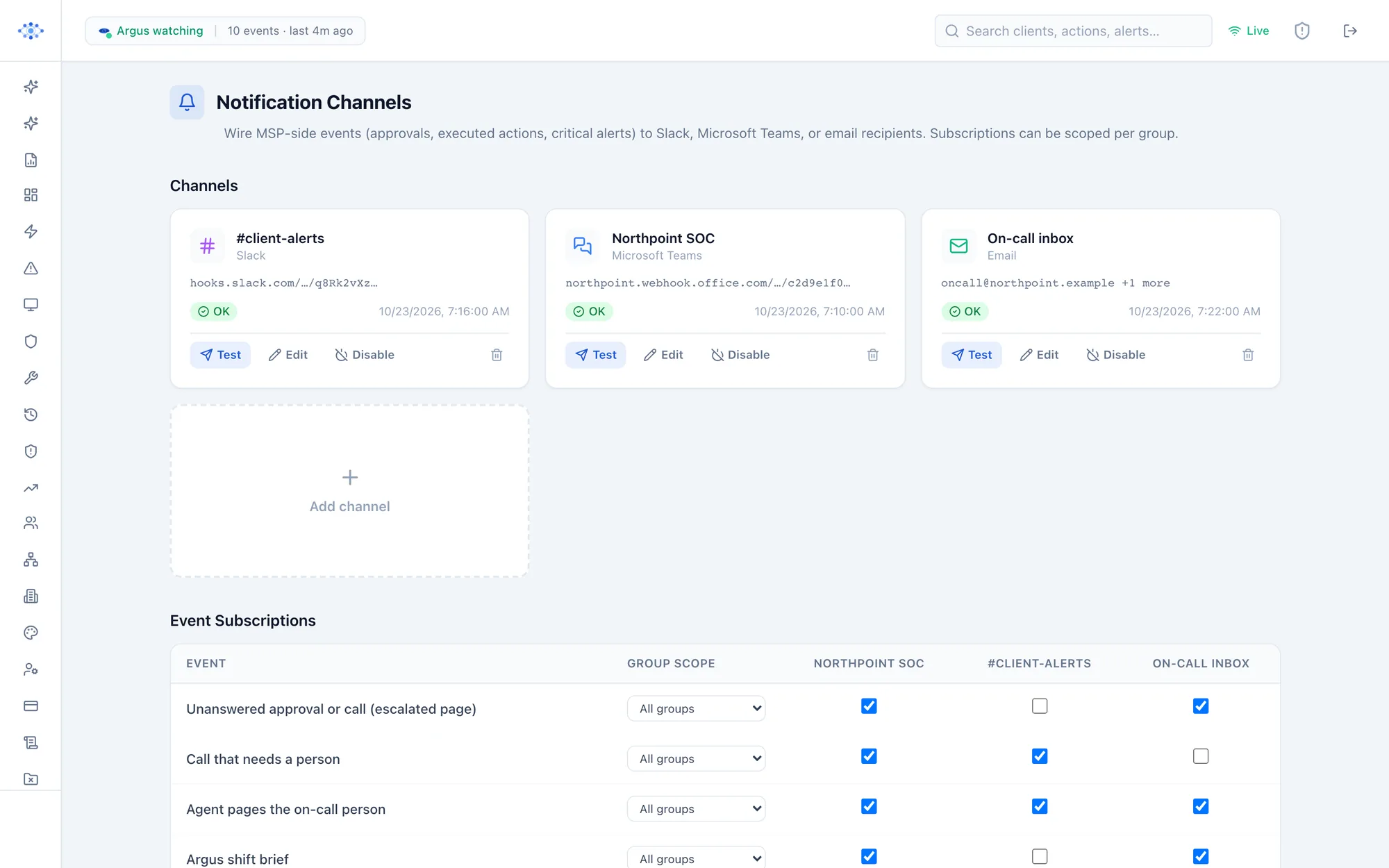
Alerts and approvals where your team already is.
-
Microsoft Teams
Alerts and approval requests with the case attached. One tap approves, and the case updates itself.
-
Slack
The same alerts and approvals in Slack, from a phone if needed.
-
Email
Alerts, approvals, case summaries and each client’s weekly report by email.
-
Webhooks
A signed webhook into any other tool you already run.
In the console
Pick where each alert goes.
A real screen from the Centeye console, with sample data.
Don’t see yours?
Request an integration.
Tell us the tool you or your clients run, and we’ll tell you plainly whether Centeye works with it today, and when it will if not.
Getting started
Connect your first tenant.
Microsoft 365 or Google Workspace in minutes. Everything starts on “tell me”.